Analytics Dashboard Design
Product Goals
The goal for this challenge was to build a UX / UI design experience, for an Analytics Dashboard. The Analytics Dashboard site will serve as a tool for users to build, configure and monitor a dashboard of data, statistics and analytics for their specific industry.
The Analytics Dashboard will be used by industry professionals to configure, modify and monitor a series of pages and dashboards. These dashboards will contain charts, graphs, analytics, statistics, etc. that will allow the user to make more informed decisions and monitor trends through their specific KPIs on the dashboard. The dashboard will be designed around a series of user configurable widgets.
Wireframes and Iteration #1
Normally when first outlining the design, I like to use a sketchbook and a pen. As I can easily make changes and freely put anything that comes to mind. This time however, I decided to try balsamiq for my initial sketches. I liked that it provided everything needed for prototyping in a clean, presentable way. Going forward though I will continue using a sketchbook for the first designs as its much faster to reiterate and gives me more control.
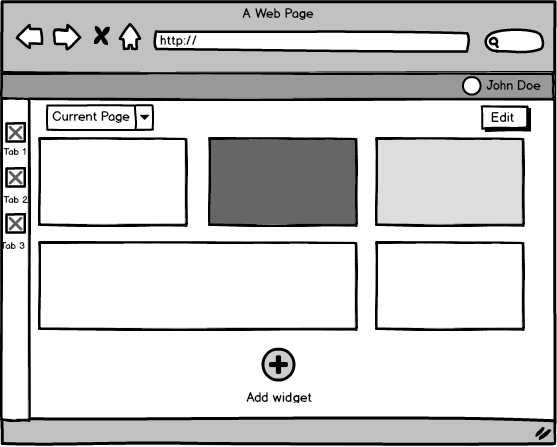
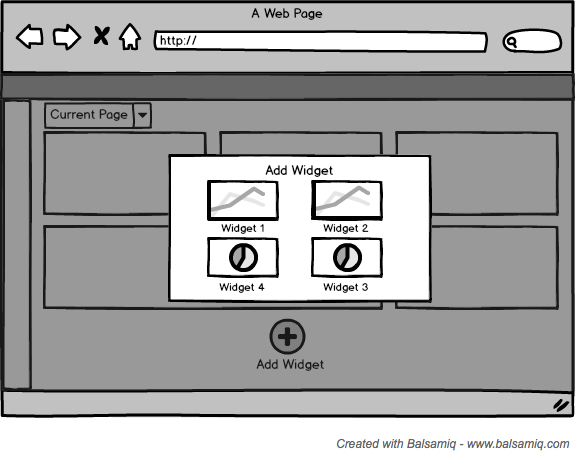
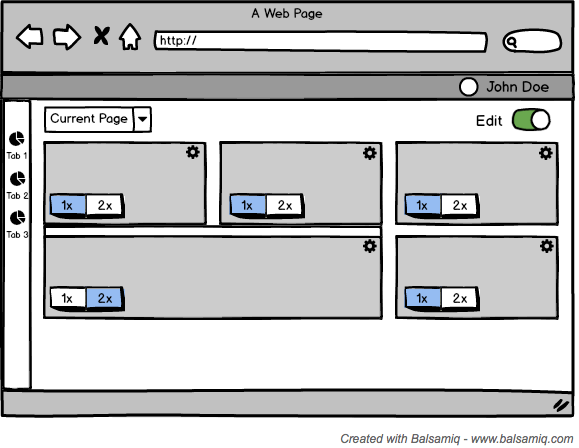
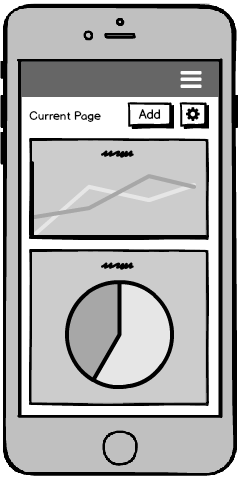
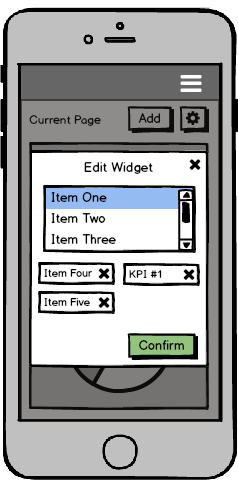
Using Axure I created some initial wireframes based on the previous sketches. Keeping in mind to design the interactions from a developers stand point.
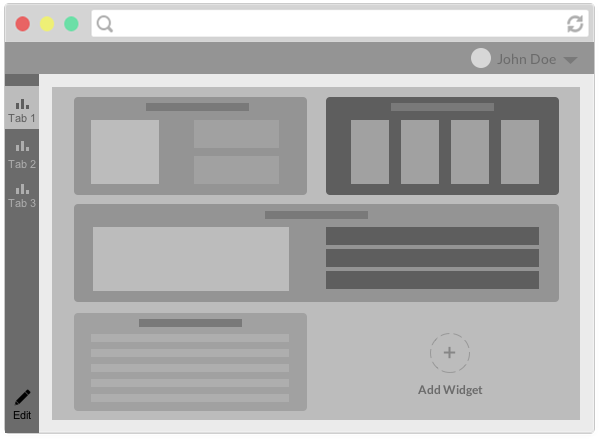
Wireframe of widget home screen
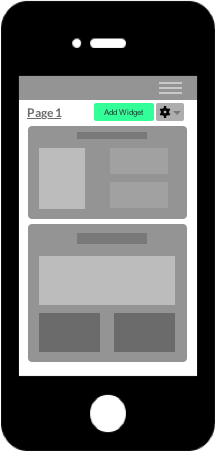
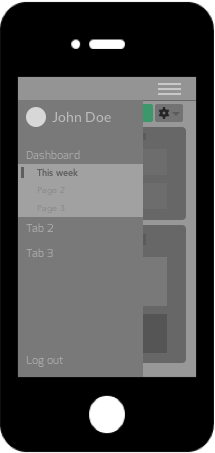
Mobile wireframe of widget home screen and nav
After discussing the wireframes, we felt that they met all the objectives. The most important thing being that the different widgets were easy to add and edit. I streamlined the addition and editing of the widgets, by giving the user a modal that let the user add/delete different categories to their widget. the Although there was one problem with the mobile navigation that wasn't apparent in the wireframes, and was only clear in the final design.
Iteration #2
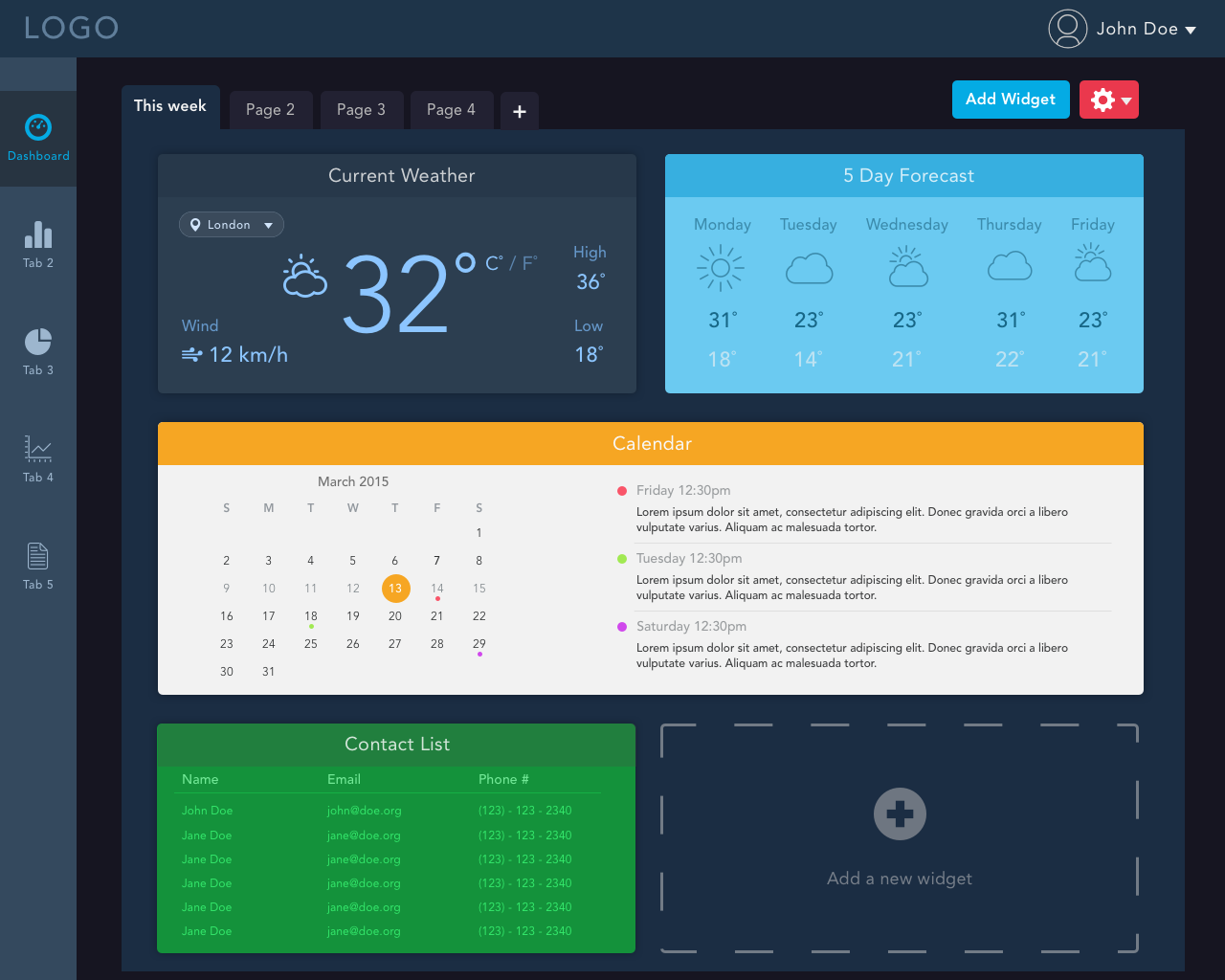
Dashboard home
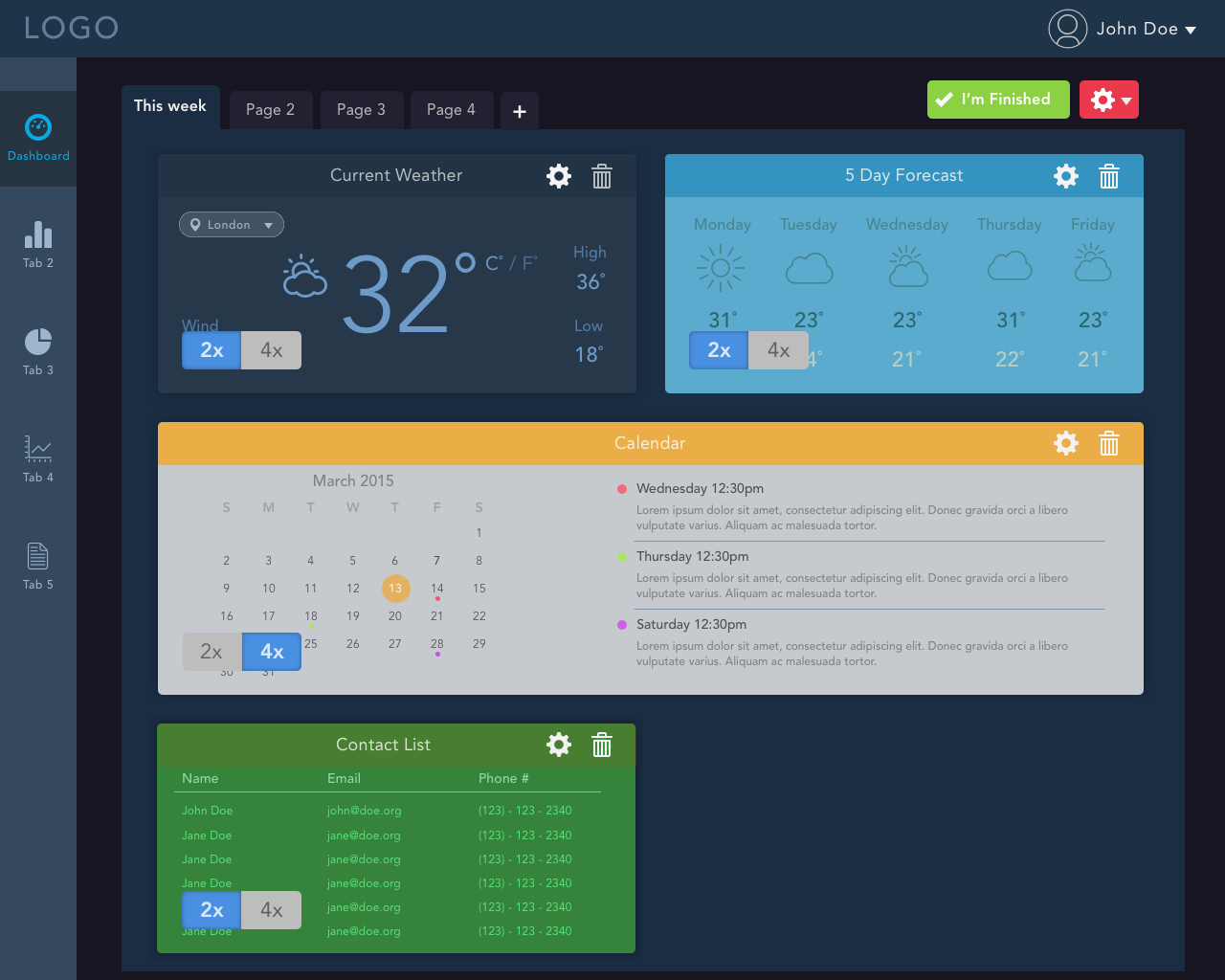
Dashboard with edit widgets enabled
When starting the final design, I tried a variety of different ideas for controlling the current page. Initially I tried a dropdown, which worked well on the desktop version. However on mobile it would be easy to misclick on the wrong page given the smaller dropdown. Then i tried a tab view, which was better because as opposed to dropdown which required two clicks to switch pages, this would just require one. The mobile view however wasn't compatible with the tabs on the dashboard as the screen was too small. So I moved it to the navigation menu allowing for better readability and accessibility.
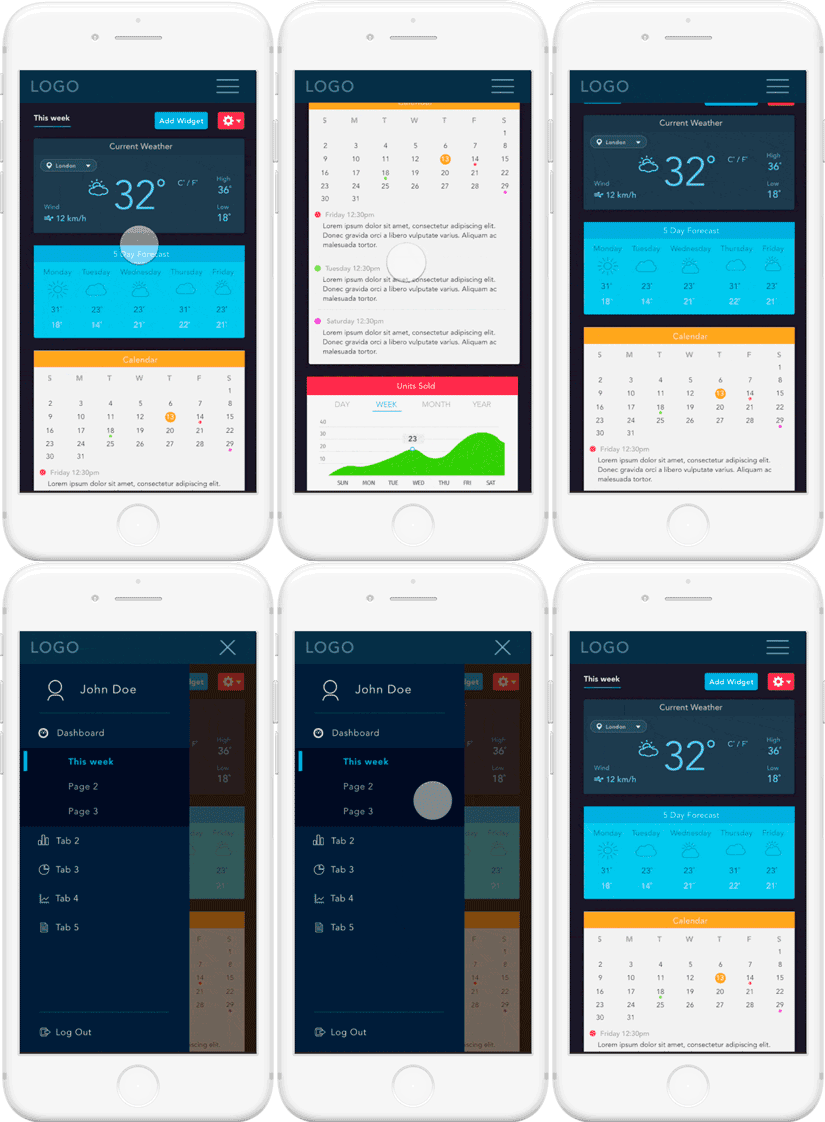
Mobile view - dashboard animation
Conclusion
Overall I felt the project went well, there were a few problems in getting the navigation and editing of the widgets correct. However thanks to the great communication between the team and I. I was always able to get feedback and suggestions anytime I needed assistance. Some takeaways:
- Give users more control - Initially I had designed all the widgets the same color, but the team mentioned that it wouldn't be easy to distinguish right away. And they were right when I added more colors and made a color picket for the widgets, it allowed them to create their own themes.
- Don't be afraid to ask for feedback during the design process.
- Clients usually can be set on a list of items they want/don't want. That doesn't necessarily mean they are not open to the idea of change. If you can provide a visual example, it makes it a lot easier to see rather than describing it.