Roomtr
The problem
My role was to design a new app that would help users find a roommate to rent an apartment with. With close to 55% of the population living in urban areas and the number increasing every year. Along with rising rent costs, most city dwellers tend to spend most of their twenties living with roommates. This app would be designed from the perspective of person who is looking for a roommate as well as the one who is looking for the apartment.
Product Goals
For this product to be successful, given that it would be used by mostly millennials. It had to be simple and sleek. Users should easily understand how to navigate the app and how it can help them accomplish their objective. Given that finding an apartment/roommate is such a complicated task, the app would make it as pain-free as possible to find the ideal roommate.
Research and Explorations
I started out by understanding the use cases for the product and figuring out the audience. Of course people of all ages could use the app, however it would be targeted towards millennials as they make up the largest customer demographic. An important aspect we had to consider was the privacy of the users, given that they would be advertising it to the public. We had to ensure that not just anyone on the internet would be able to see that information.
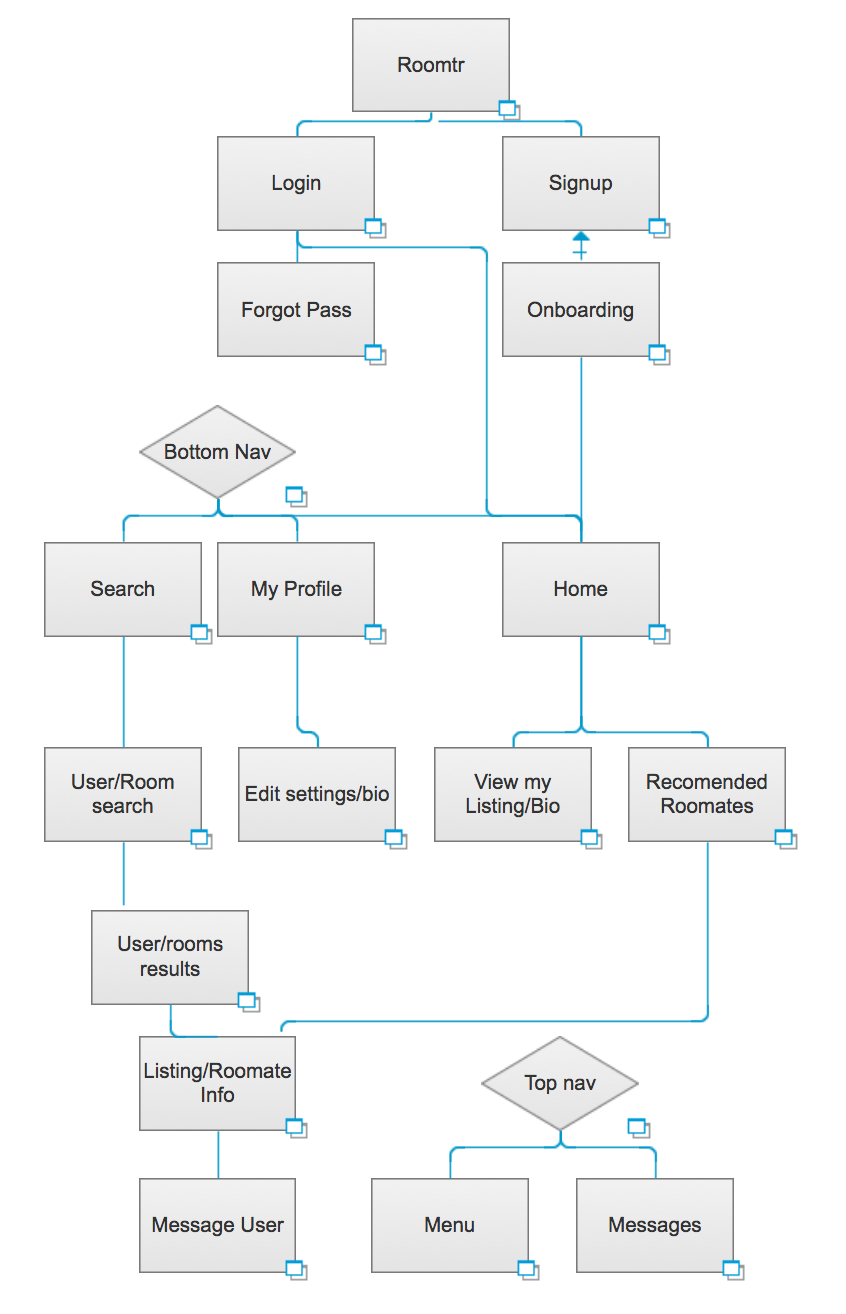
Flow diagram of app
I also researched some of the competitors in the same field and found that everyone had the same features. Allowing users to advertise rooms and letting users search for roommates. Given that you would be spending so much time with them, finding the proper roommate is a big decision. However most of these apps didn’t allow users to add filters to their searches allowing them to better find the perfect roommate.
Wireframes and Iteration #1
To begin I started with some sketches to get a rough idea of the app. Any idea I could think of I drew. How should users be shown on the map? What would the map look like? How would landlords and those looking for a room navigate through search? These are some questions that were going through my head as I hashed out ideas. Here are some of the sketches I made!
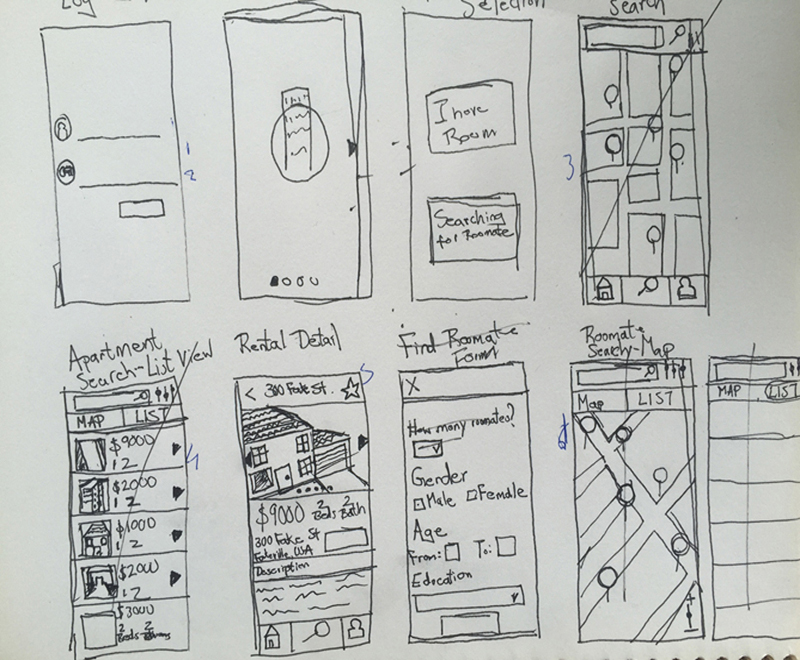
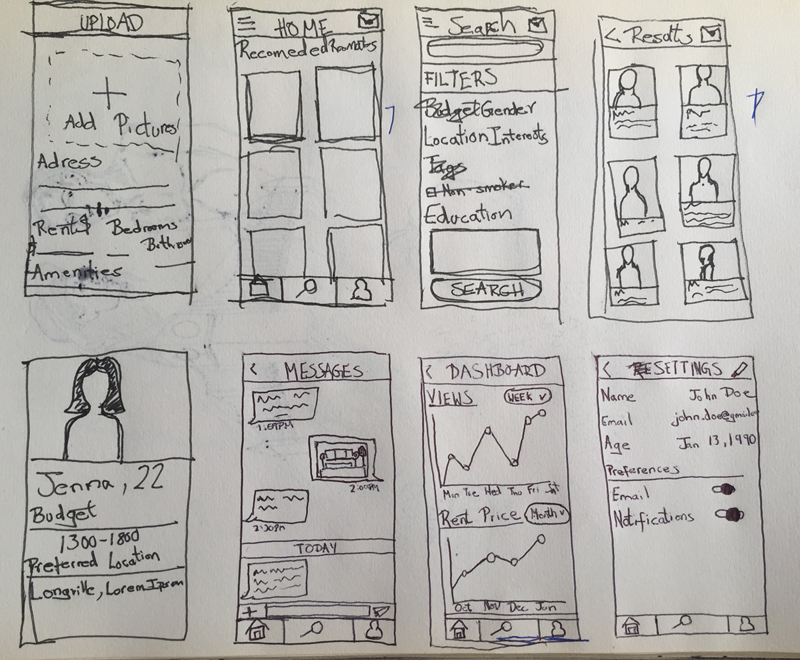
Examples of sketches
After having a rough idea for the different screens, I began to create wireframes for the app functionality. At this point I got the client involved and made sure the needed specs were met on each screen. I made sure to allow users to easily find rooms by allowing them three different means of search (location, address, and current location).
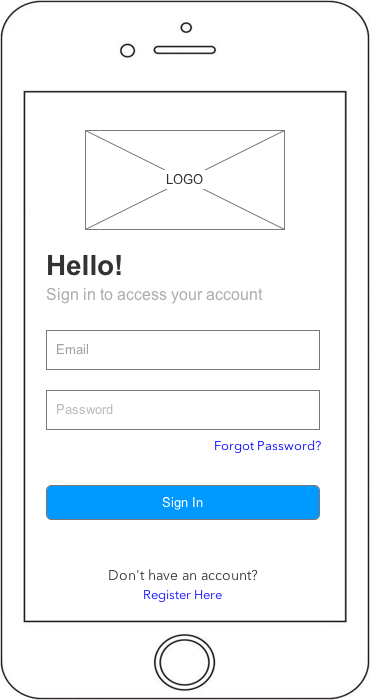
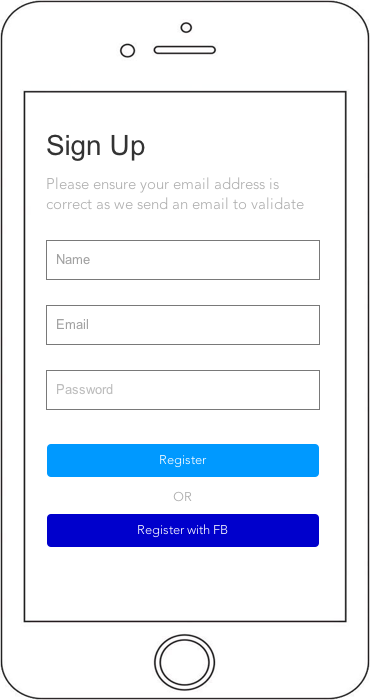
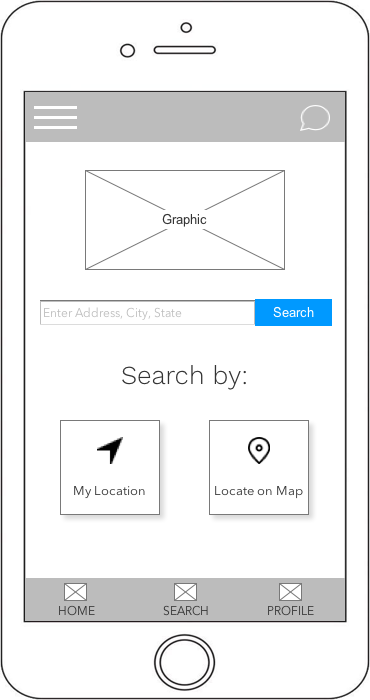
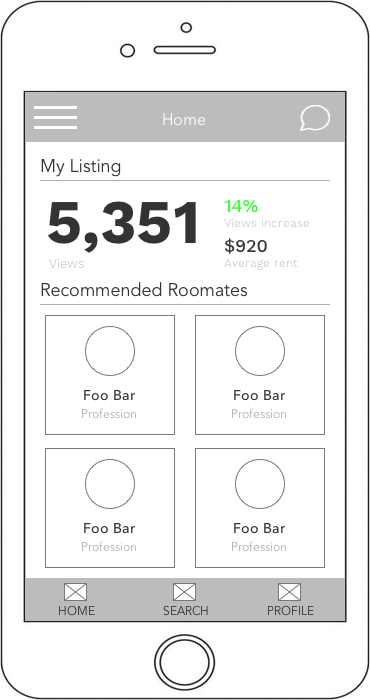
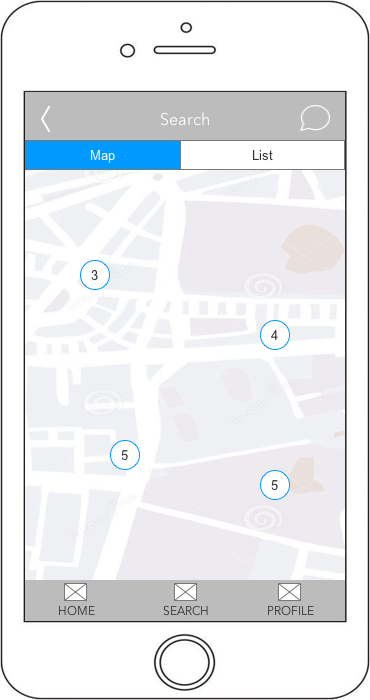
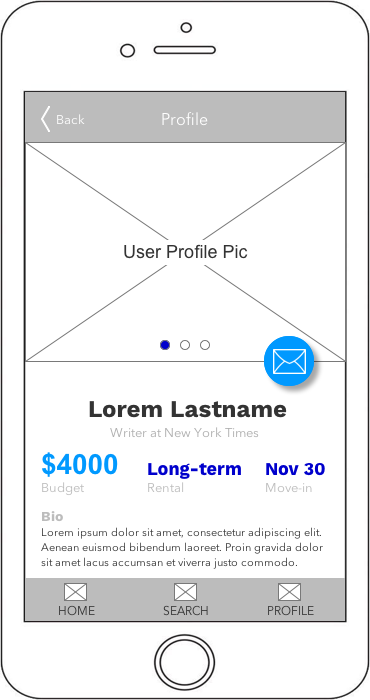
Initial wireframes
Iteration #2
For the styling of the app, I played around with the headers, colors, spacing, and many other things to end up with the design below. The client preferred a consistent white background, allowing for the CTA's to be easily recognizable. One important change I needed to make before starting the finished designs was to only allow sign up through Facebook. Given that the app would expose strangers to a users possible residence, it was important that we protect the privacy of the users.
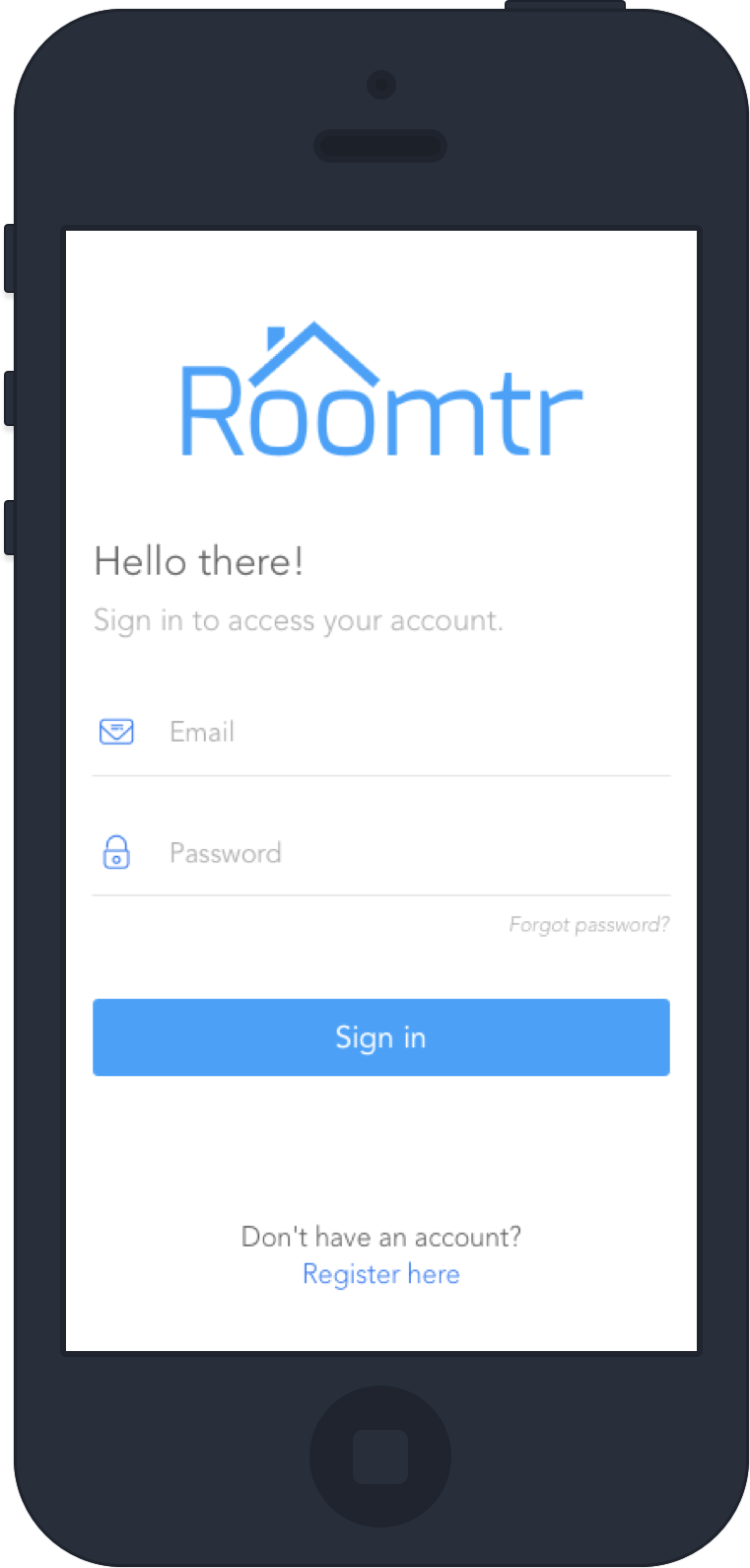
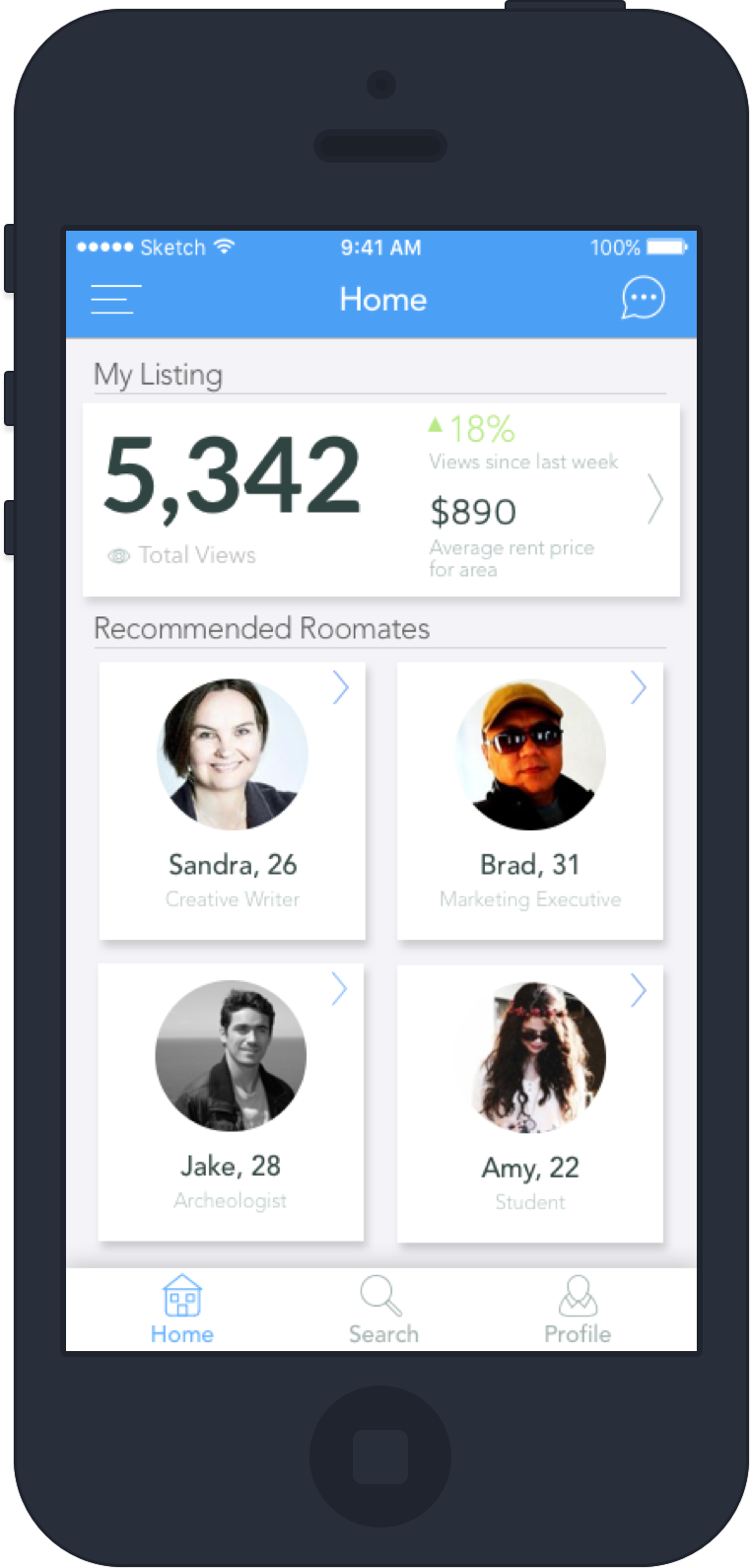
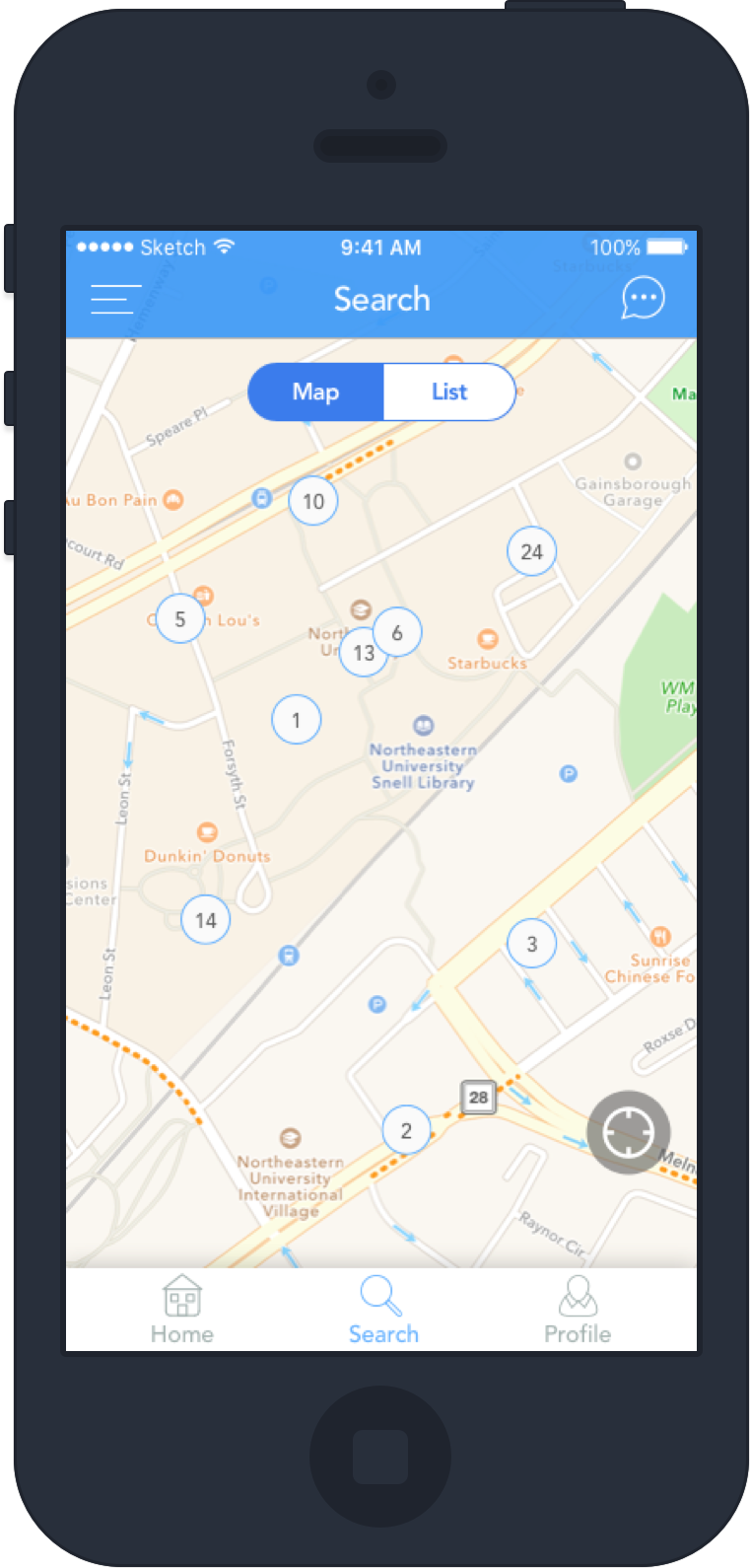
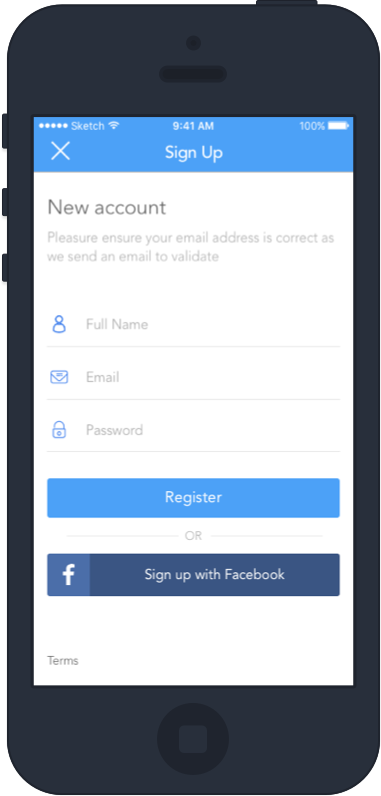
First design
Finally for the user profiles we debated if users should just post their emails to be contacted or the app could be built with a messaging system. This would allow for a more seamless experience, as users could communicate in real time without having to leave the app. The chat would also allow users to share pictures/videos, making for a better experience. It would also be beneficial to users privacy, as there wouldn't be any need to share their email or phone number with other users to be contacted.
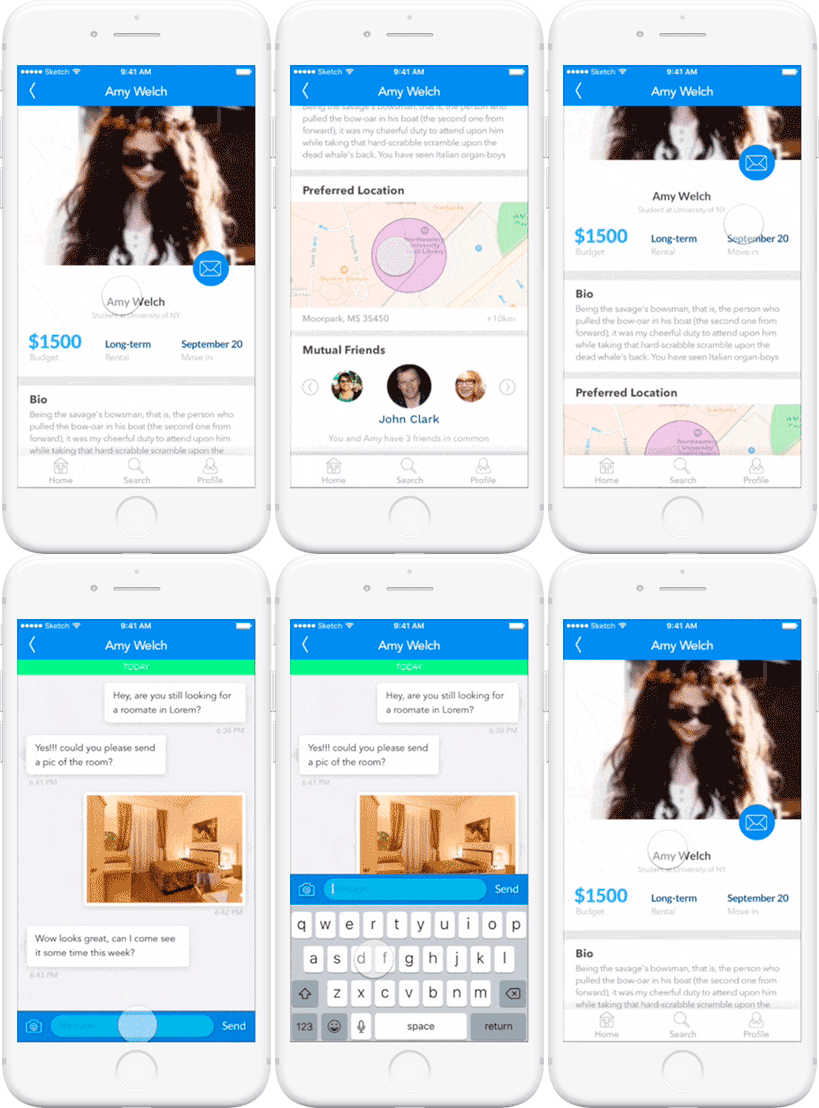
User profile with in-app messaging
Usability Studies
To test out the ease of use for the app, we let ten people try out the product. I came up with some scenarios and questions that the test users would answer. After giving the users a quick walk-through of the product we let them work through the scenarios. For ex:
- Sign up for the application through FB
- Create a new listing for a roommate
- Message a potential roommate
- Change prefered location for room
From the user interations, we noticed that they were easily able to navigate the application and achieve their objectives. Apart from some small changes such as font sizing and spacing the design remained the same.
Conclusion
Overall I thought the project went smoothly and was delivered on time. Some lessons learned while working on this project:
- When conducting the usability studies we noticed that users that were given visual feedback, were able to correct their error a lot faster compared to just an error message. For example for forms, when incorrect data was entered, we made the fields shake and turn red.
- It was important to make button and input sizes larger as some users found it hard to select the field.
- When dealing with the map view, we only included important information such as price, and address. This way users wouldn't be overloaded with information and they could easily see the details by selecting on the listing.
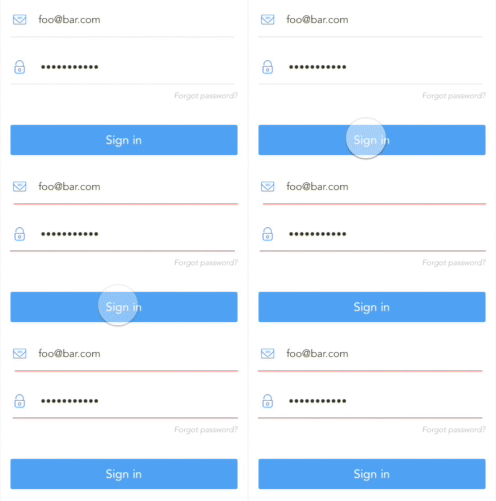
Sign in error