Operations Health Dashboard
The problem
For this project, I was responsible for coming up with the design of a dashboard for day-to-day business operations. This would be an internal product within the business, therefore it wouldn't be designed for customers. The dashboard is to provide a view of the health of operations from both an IT and Business perspective. The central focus of the dashboard is to display all measures defined and all systems identified that correlate to the Critical Business Processes.
Wireframes and Iteration #1
I started the process with some rough sketches for the app. While thinking of ideas, I knew the main focus of the app would be the temperature setting. I thought of different ways that users would be able to adjust the temperature, such as a dial, slider or input. It was also important that they easily see the current and set temperature.
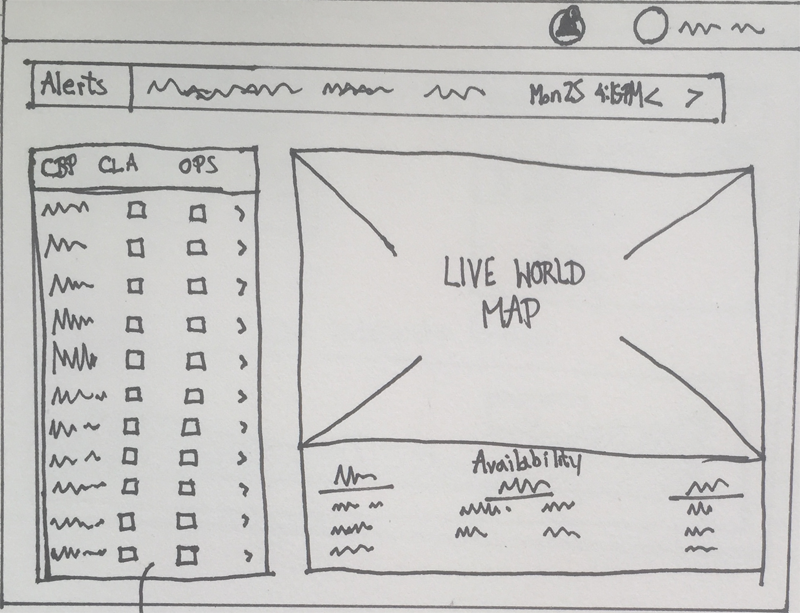
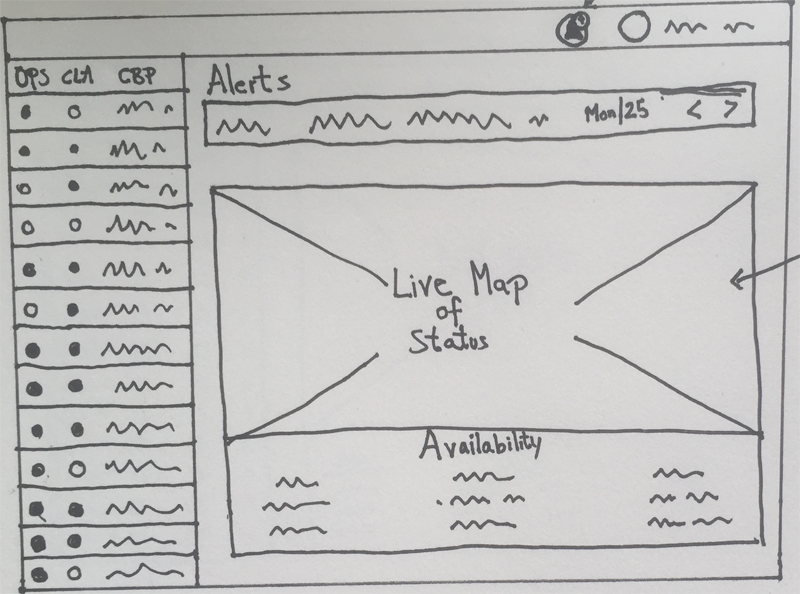
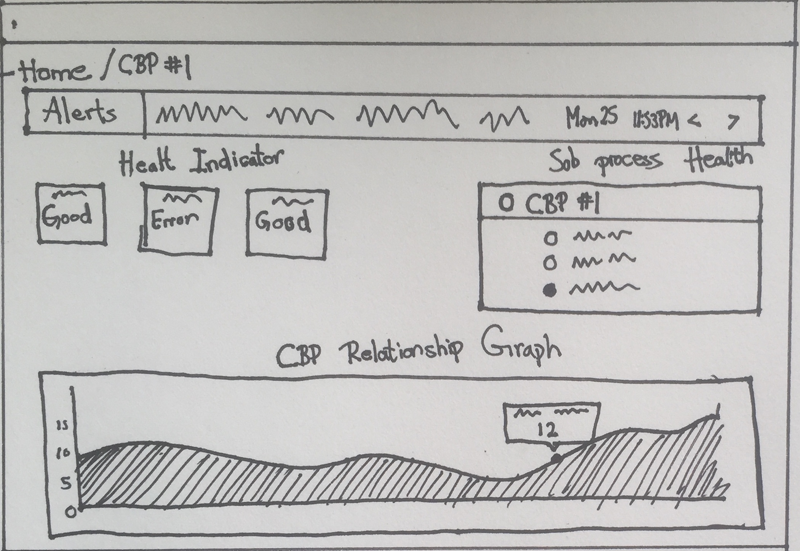
Some examples of sketches for dashboard and CBP view
Out of the wireframes I made, I narrowed it down to these two. They both showed the user what information they needed in a accessable way. The three main components were the ticker bar, availability status on the map, and the CBP health - showing the status of the different business operations.
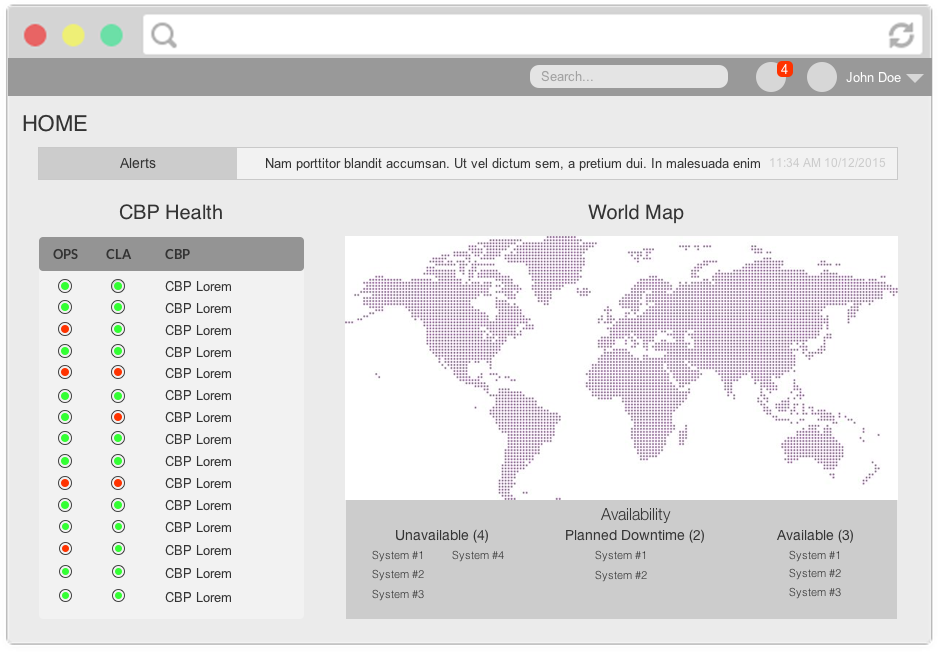
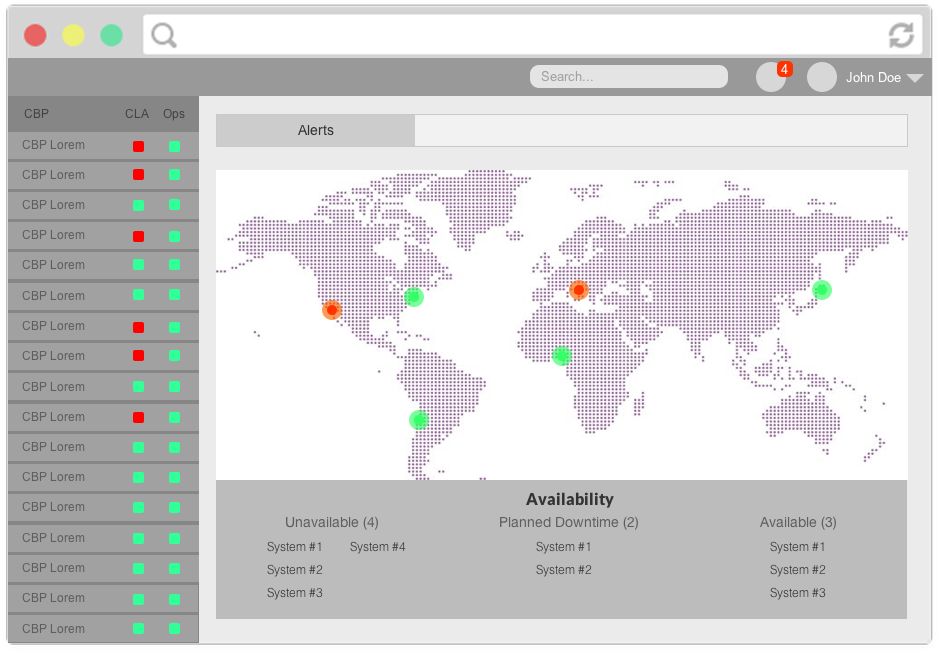
Variations of dashboard home wireframe
After discussing the two wireframes with the team, we agreed that wireframe #1 would be the better option. While the second option had the side nav showing the Critical Business Processes, they felt it unnecessary because the statuses would not change that often. So It took up screen space when one of the Processes were selected to see a detailed view of that process.
Iteration #2


Primary (#424848) and secondary colours (#00B287)
Next I started working on the final design. The PM wanted the dashboards color scheme to remain consistent with the rest of their products. Intially I used a light grey background, but after trying out some different colors. The monochromatic color scheme gave the dashboard a modern appearance. Normally I don't use monochromatic schemes because they make for bad text readability, however in this case customers wouldn't be using it. After showing it to the PM he shared the same opinion that it looked alot sleeker compared to a white/grey background.
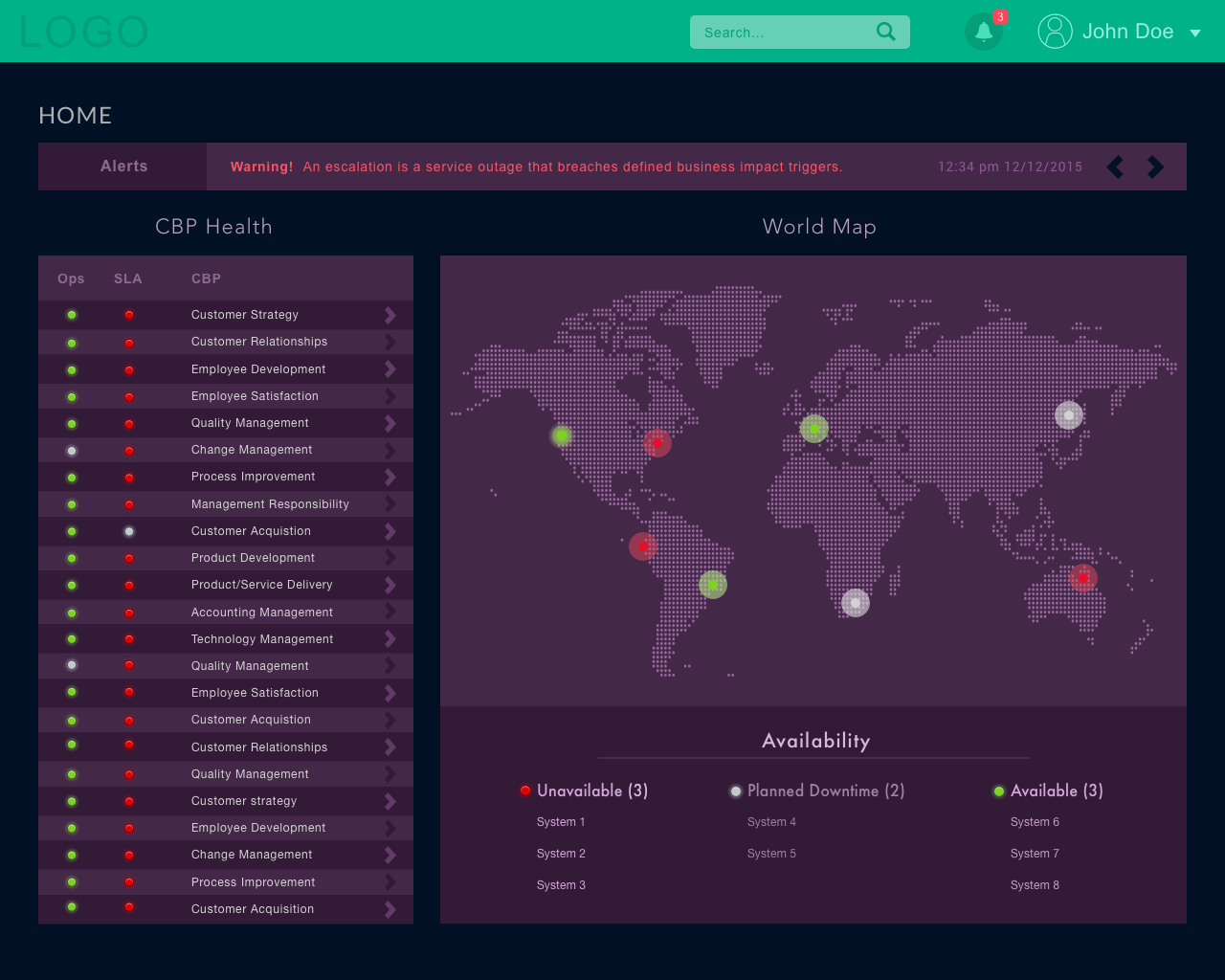
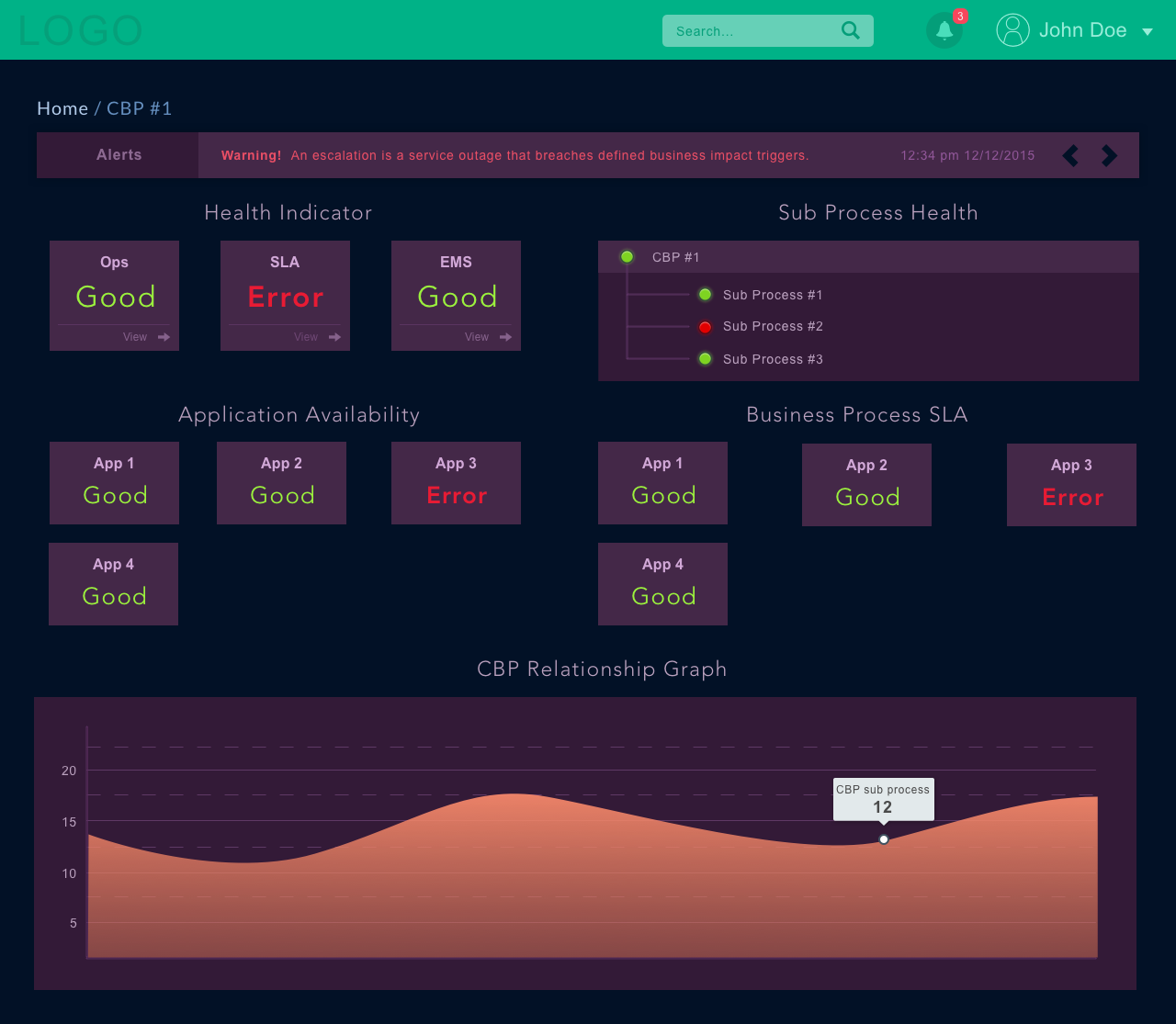
Home and CBP Detail dashboards
Given that this would be a web app, it would need to work for a variety of different screen sizes. For the mobile design, I didn't want to scale everything down from the desktop version. Instead I added some components such as the accordion for the Availability, and the search bar for the CBP component allowing for faster lookup.
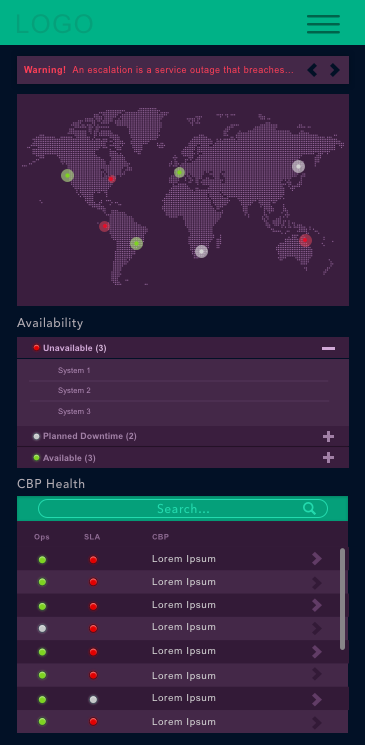
Mobile view - dashboard home
Conclusion
Given that the client wanted a quick turn around for this project, I believe it was executed well. Ideally I would have liked to work on the mobile design a bit more, however the PM felt that the necessary functionality was all there. Designing responsive apps that work on a variety of screen sizes comes with many trade-offs. Especially when dealing with components that have to be readable and functional at the different sizes. You can't just scale down a desktop component into a smaller size. Just because it fits doesn't necessarily mean it will work the same way (ex. graphs, diagrams) and its up to the designer to get the same functionality on all screen sizes.
⬅️ Prev. Project